Анима ГПСAnima GPSНовостиRelease notesConnect your tachograph for live data and remote downloads

Connect your tachograph for live data and remote downloads

You can now connect the digital tachographs in your trucks directly to Anima GPS. Once connected, the platform reads driving and rest data live from the vehicle and lets you download tachograph and driver card files remotely - without visiting the vehicle.

The integration is designed for European transport fleets that need to stay on top of driving and rest-time rules while reducing manual work.

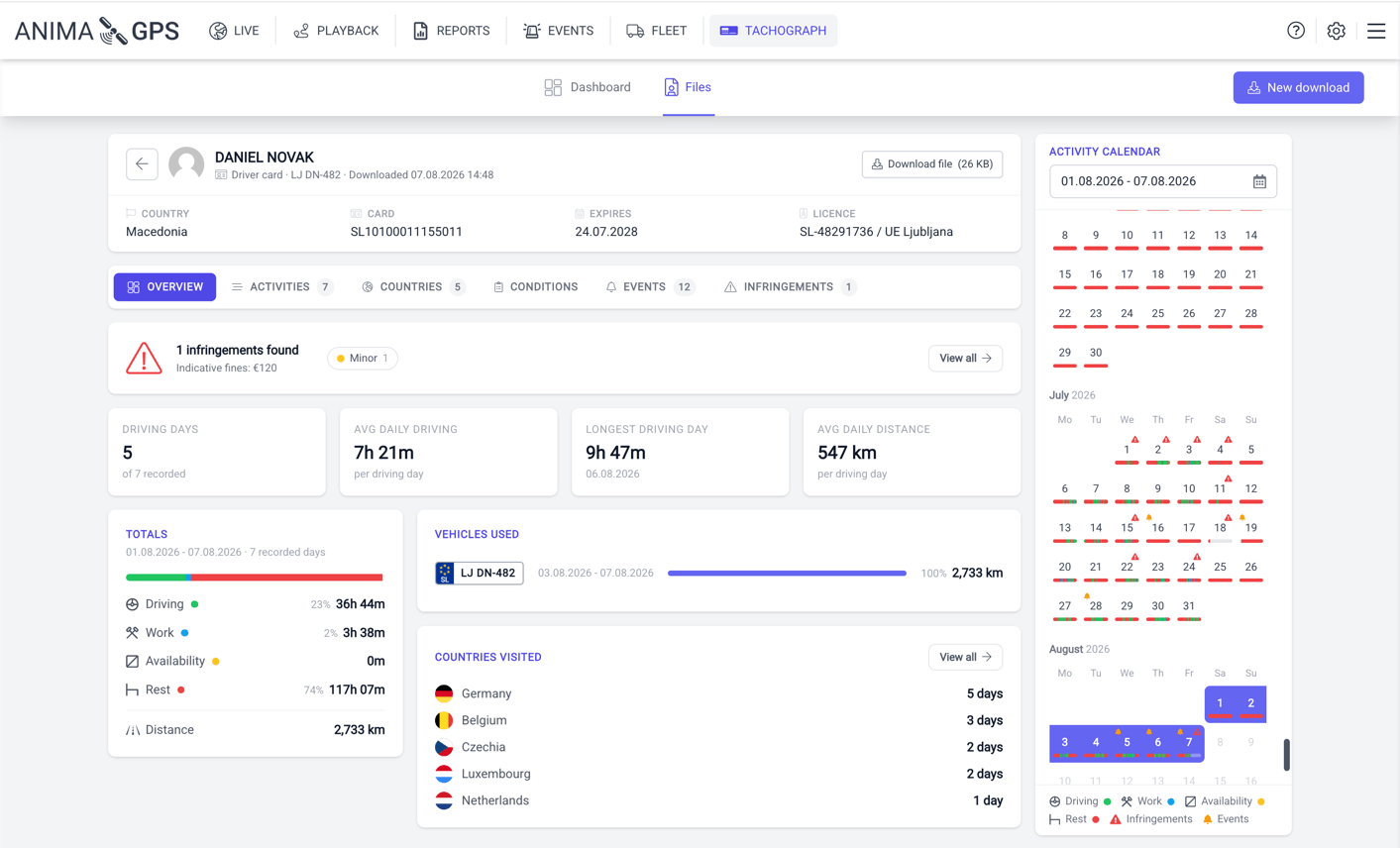
The Anima GPS tachograph module showing a downloaded driver card file with infringements, driving totals and an activity calendar

Live driving and rest times

Each tachograph-equipped vehicle now provides live driving-time analysis, giving dispatch a clear view of every driver's current status:

  • Current driver status - driving, resting, working or available
  • Driving time remaining today and this week
  • When the next daily and weekly rest is due
  • Remaining extended-driving and reduced-rest allowances
  • Summary of last week's driving and rest times
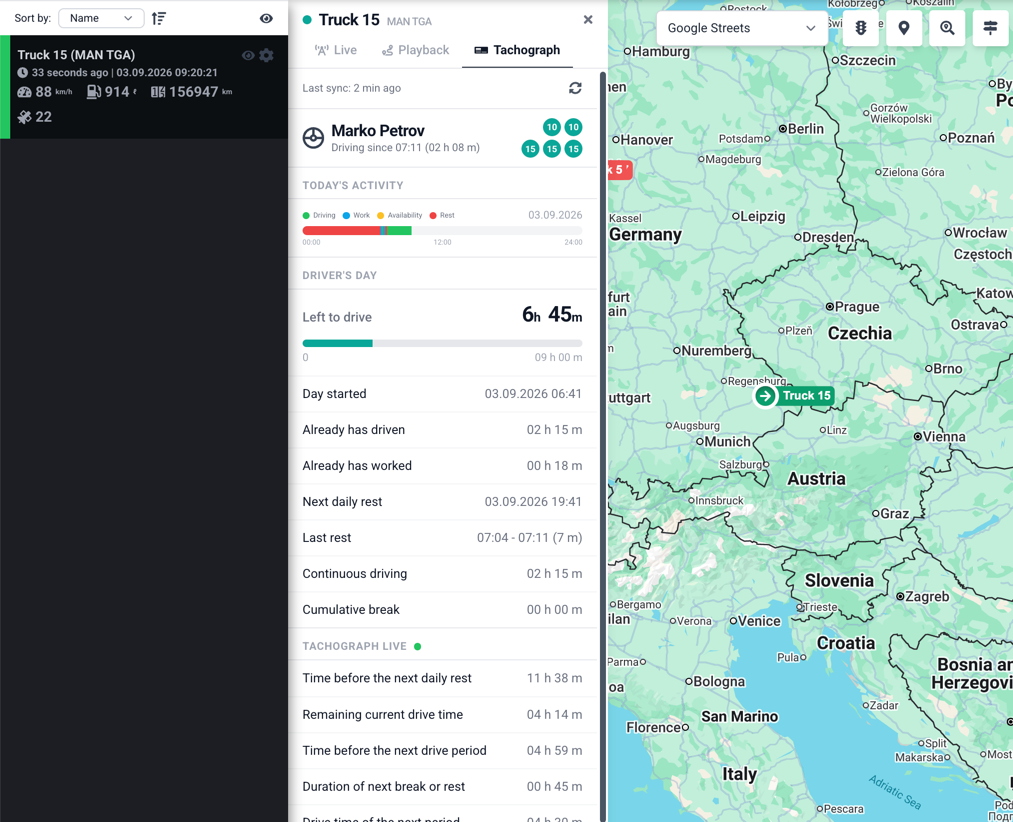
Live driving and rest times

Remote tachograph downloads

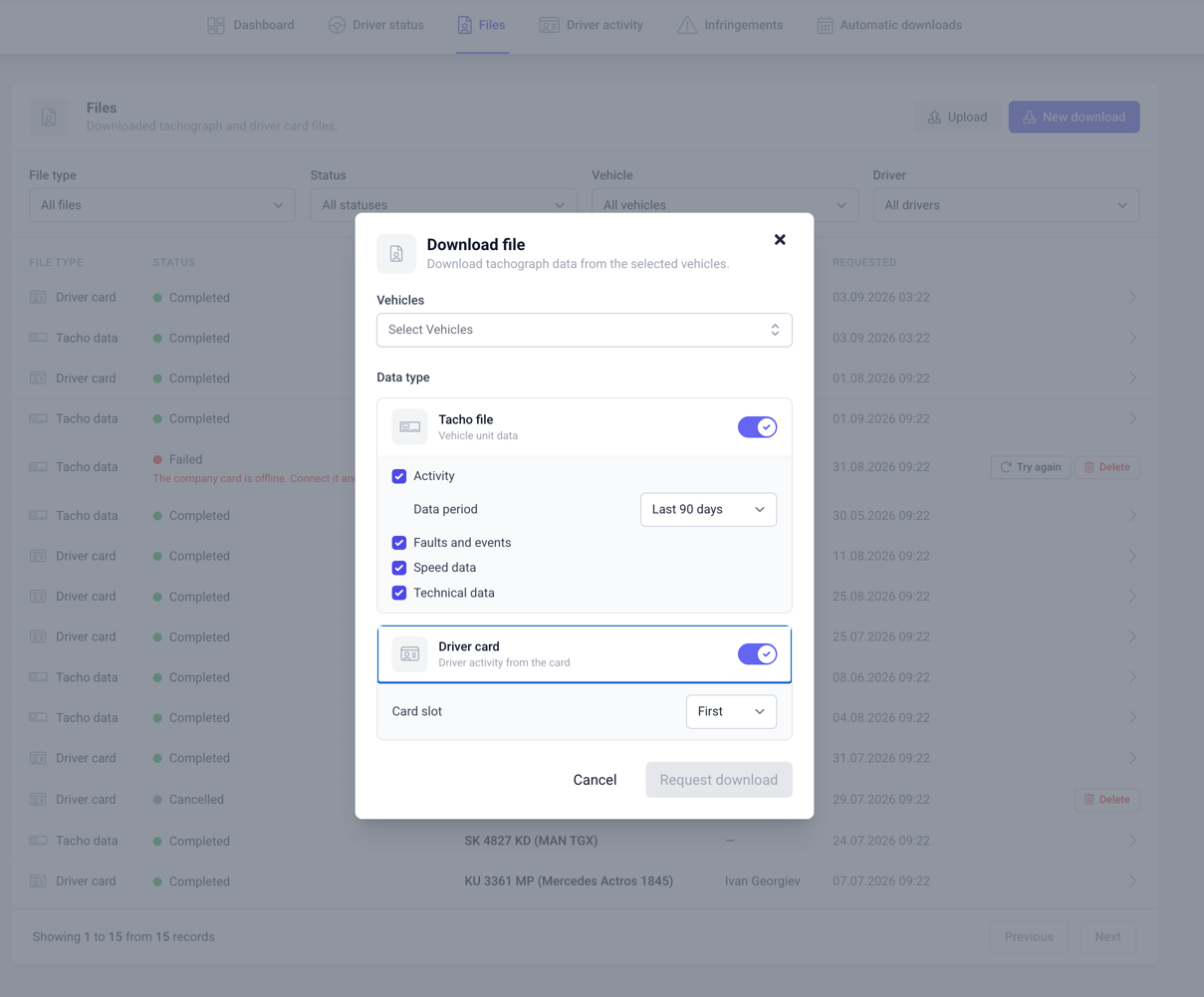
Download .DDD tachograph and driver card files directly from the vehicle without leaving the office:

  • Request one-time downloads whenever needed
  • Schedule automatic recurring downloads
  • Filter by vehicle or driver and choose which data to include
  • Optionally forward downloaded files to your own FTP server for archiving
Remote tachograph downloads

Stay ahead of compliance

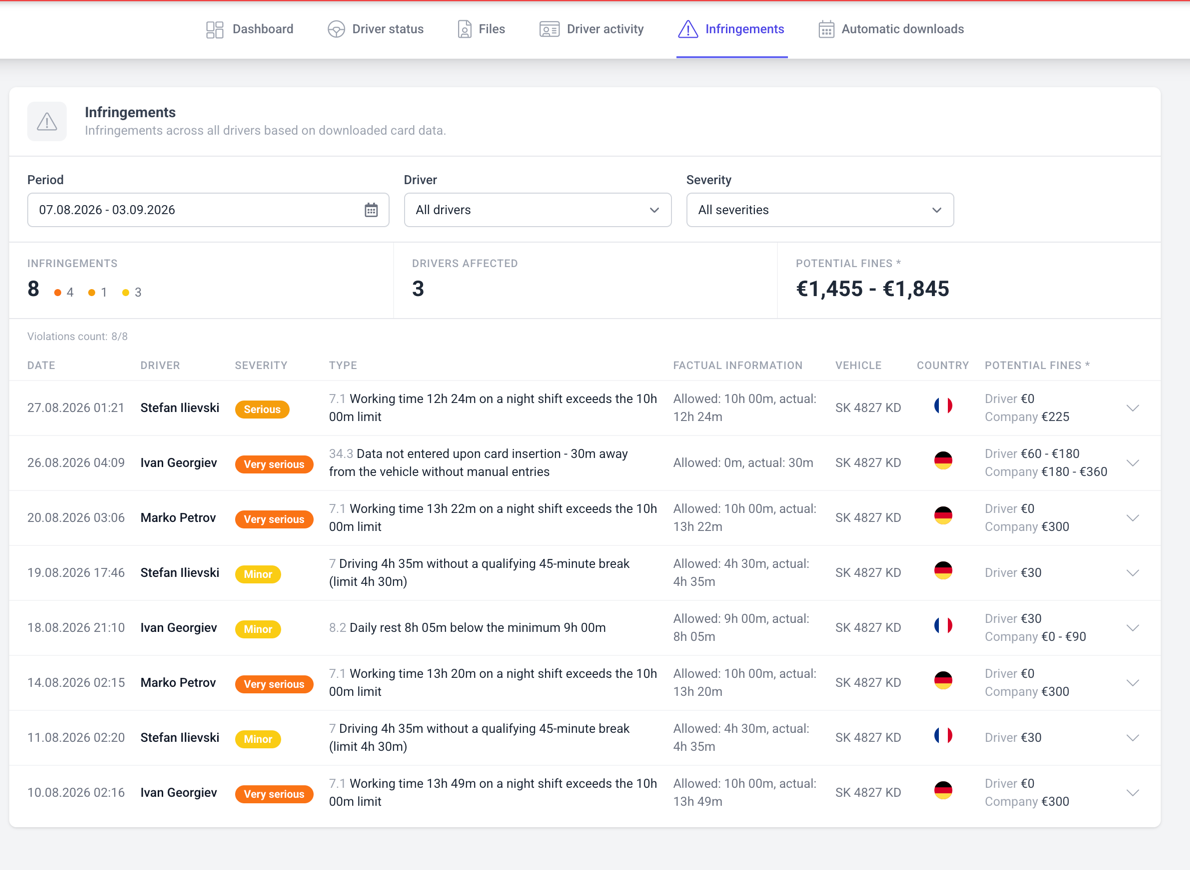
Anima GPS automatically detects driving and rest-time infringements under Regulation (EC) No 561/2006. You get a complete list of infringements with their severity, type and related vehicle, together with a visual activity timeline showing when each one occurred.

You can also export a clear PDF report of infringements for any driver and date range in just a few clicks.

Stay ahead of compliance

How to enable it

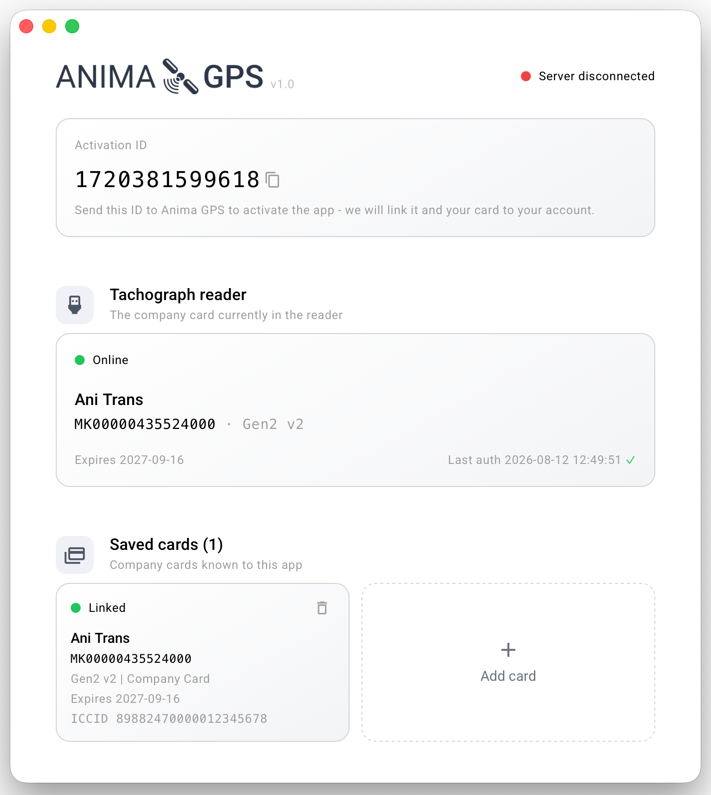
Enabling the tachograph integration requires a quick hardware check for each vehicle and connecting your company card to the system. Get in touch at [email protected] and we'll guide you through the setup for your fleet.